
Signup Instructions for Swim Meets
How to Register for Swim Meets
Log in to the website. Login is found in the upper right hand corner of the screen.
If you can’t remember your password, click "Forgot your password" to reset your password.
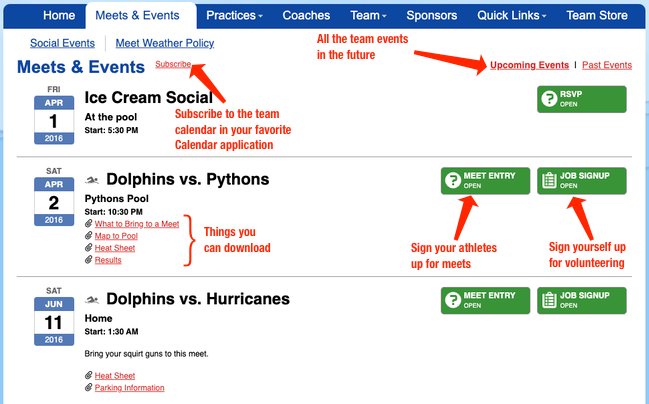
Under the Meets & Events tab, select "Signup Calendar" to sign up for a swim meet.
Swimmer Signup
It is required that every swimmer is signed up as ATTENDING or NOT ATTENDING every meet:
- Click the green MEET ENTRY tab, and then click the green Edit tab under your athletes' names.
- For each of your athletes, select an option from the drop down list next to their names.
- (undeclared)
- Attending
- Not Attending
- Select the appropriate events from the list shown. If a prompt comes up that asks if you have received coach’s approval, make sure you get that approval on deck or via email.
- Swimmers 7 years old and up needs to choose the 3 strokes they want to swim at the meet. If 3 strokes are not selected, the coach will then choose for them.
- Time Trials: swimmers will swim ALL 4 events to get their seed time.
- Swimmers 6 and under need to choose: Freestyle and Backstroke
- Click Save to record your choices.
Text Area
Simple formatted text


Text Area
Simple formatted text